Skip to content


Monetra isn’t just another “average” theme on Paymenter. It’s meticulously crafted by a team of expert developers to give your billing website a professional edge.
✅ Budget-Friendly – Premium quality without breaking the bank.
✅ Incredible Customization – Tailor every detail to perfectly match your brand.
✅ Built for Billing Websites – Designed specifically for billing, invoicing, and subscription platforms, not just a landing page template.
✅ Responsive & Mobile-Ready – Looks flawless on any device.
✅ Optimized for Performance – Fast-loading pages for a smooth user experience.
✅ Modern & Sleek Design – Professional aesthetics that impress clients instantly.
✅ Future-Proof – Regular updates keep your website ahead of the curve.
Elevate your billing platform with Monetra – where functionality meets style!
Navigate to your Paymenter installation:
cd /var/www/paymenter/themes
Copy all the template files into the new folder:
In the Settings Page in your admin side, change the theme
- curl -fsSL https://deb.nodesource.com/setup_22.x | sudo bash - sudo apt install nodejs
- cd /var/www/paymenter
- npm install
- npm run build monetra
[B]Preview
Home Page:[/B]
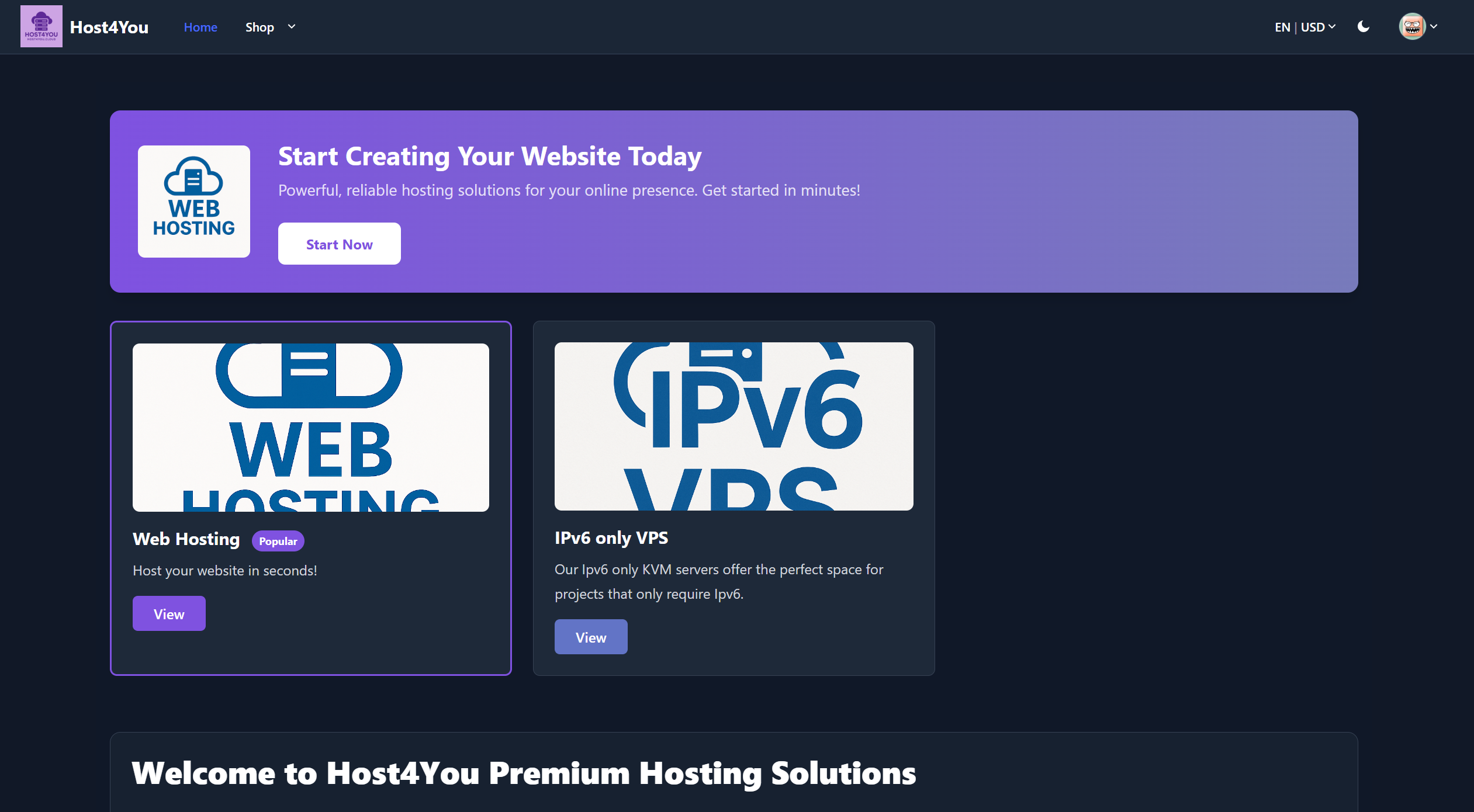
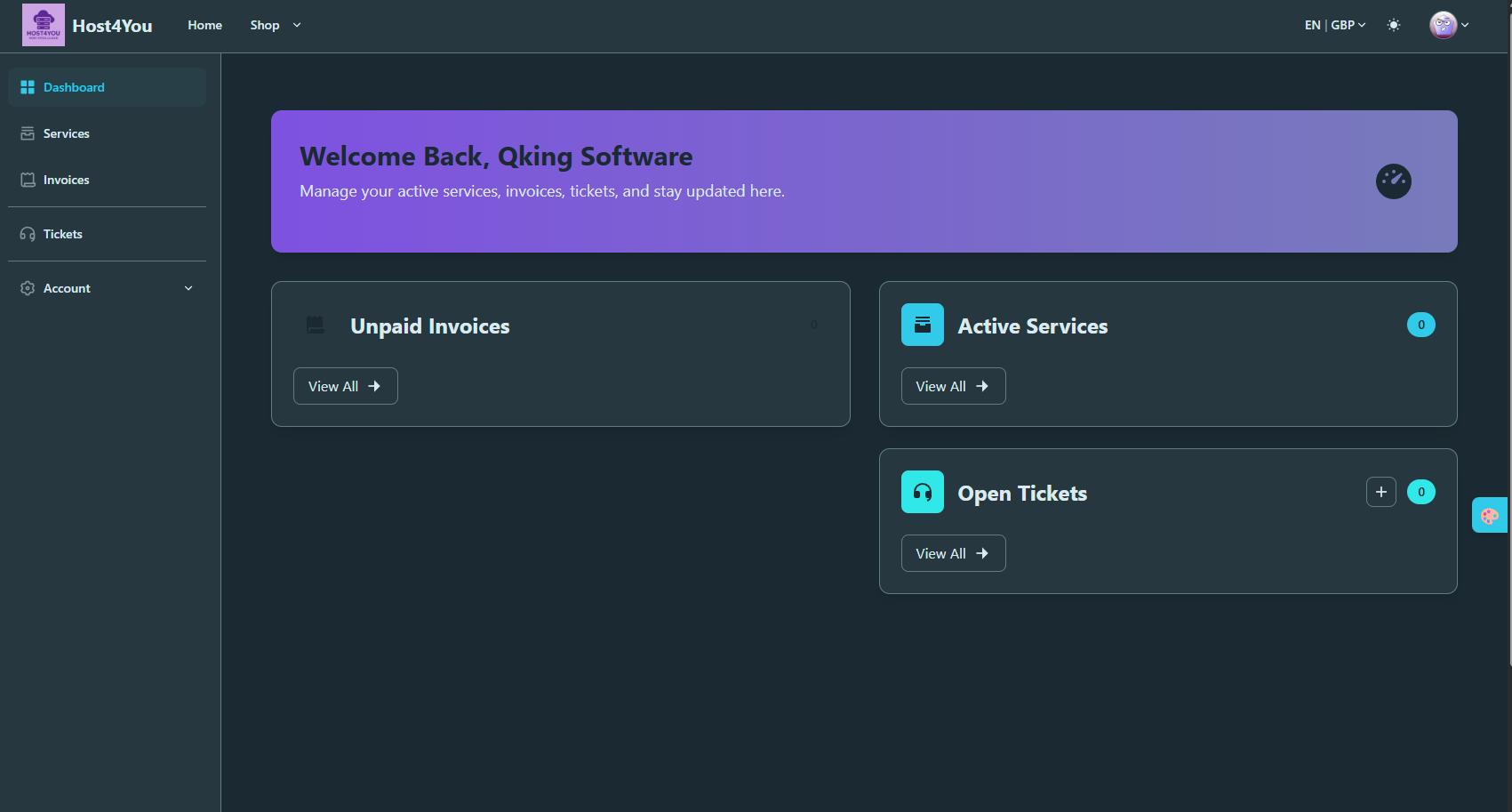
[B] Client Theming

[B]Catergory section:
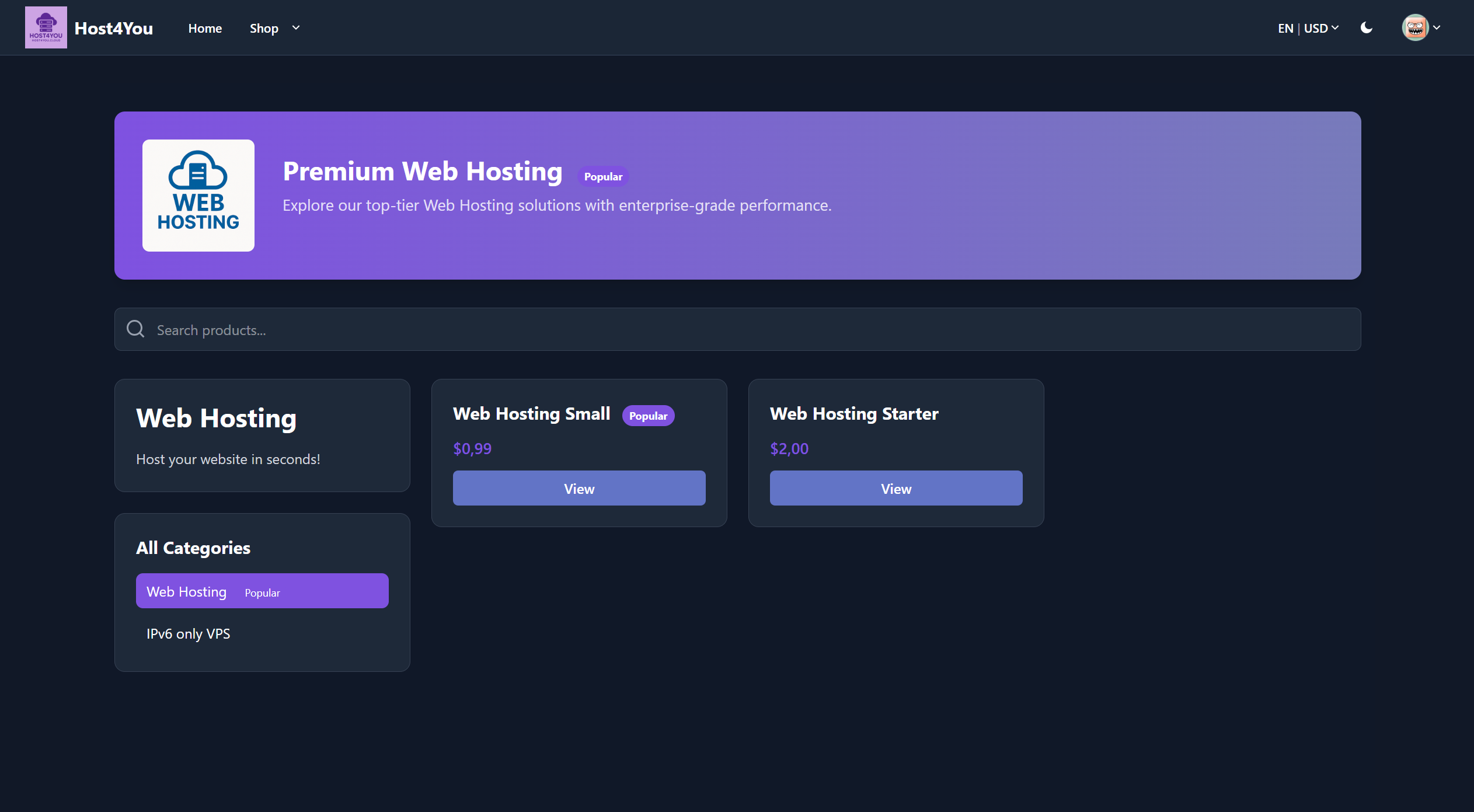
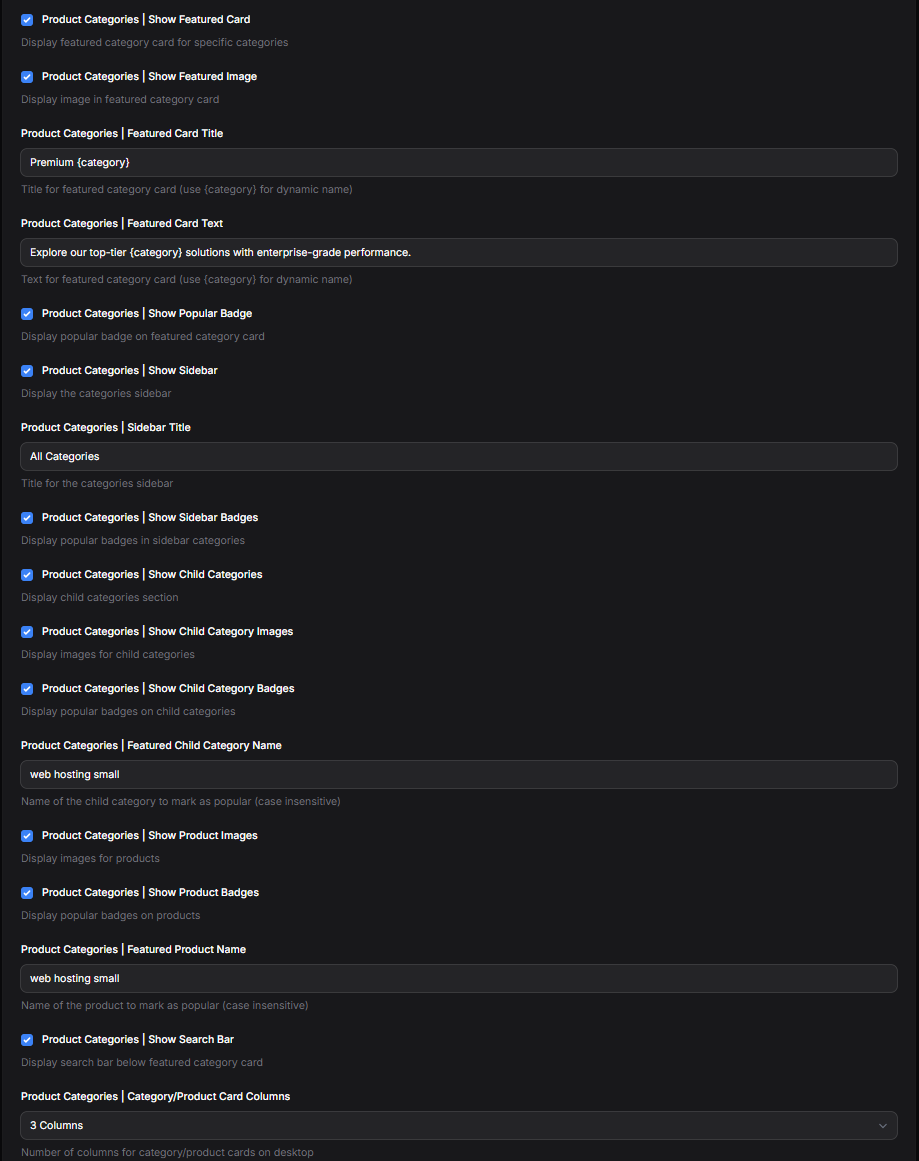
Product Page:


Login:


Snow! (nostalgic from V0.9 😏)
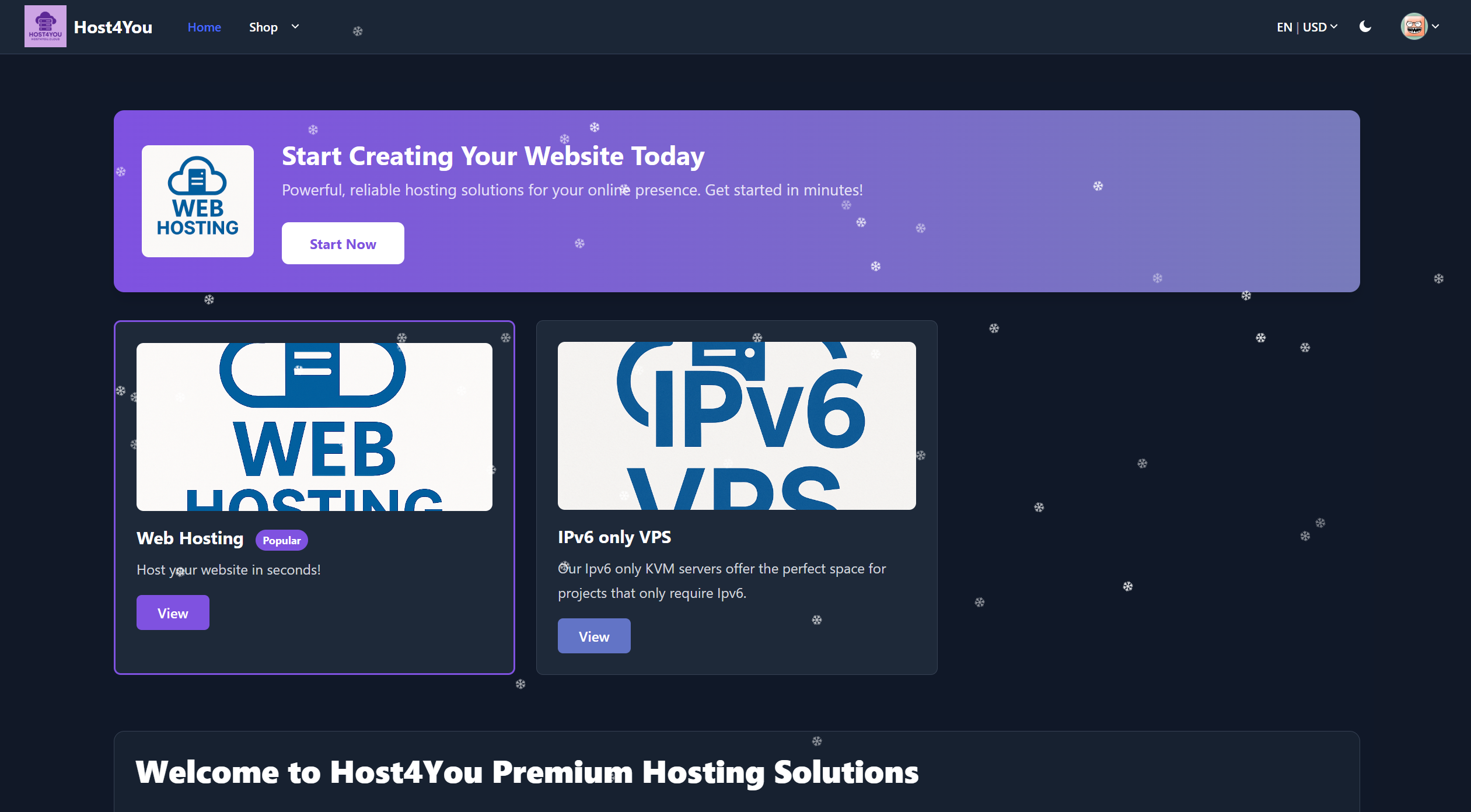
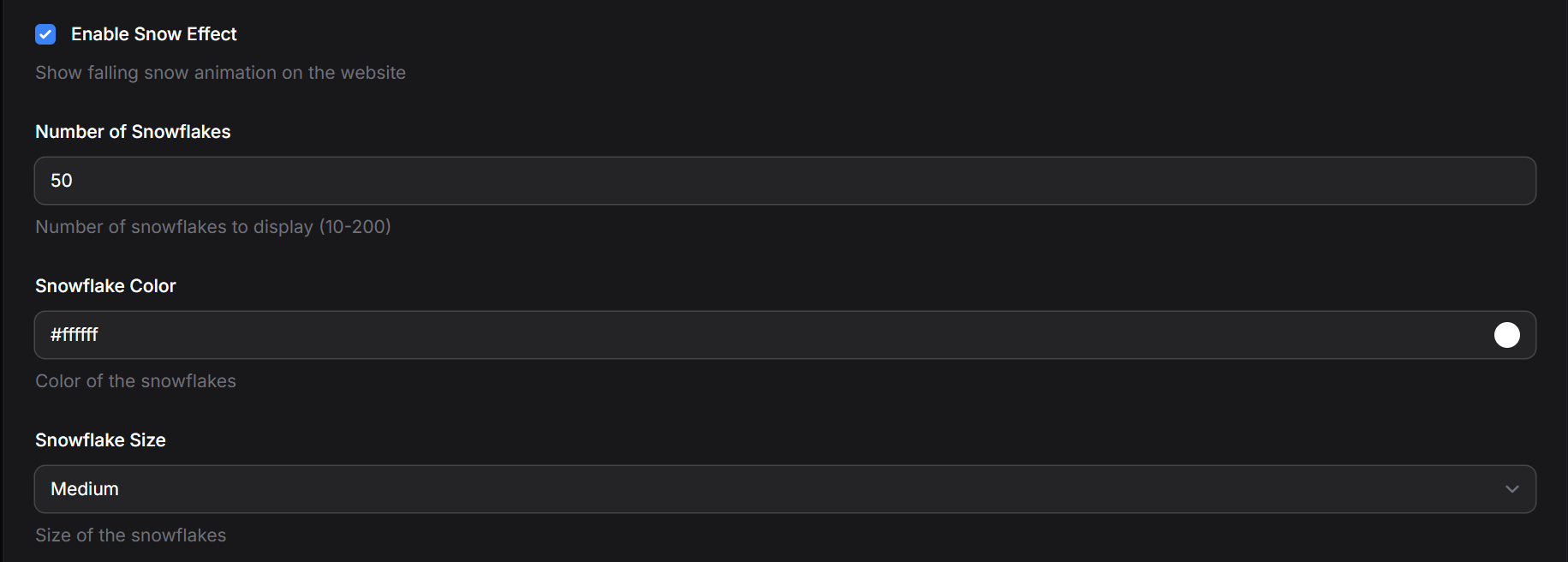
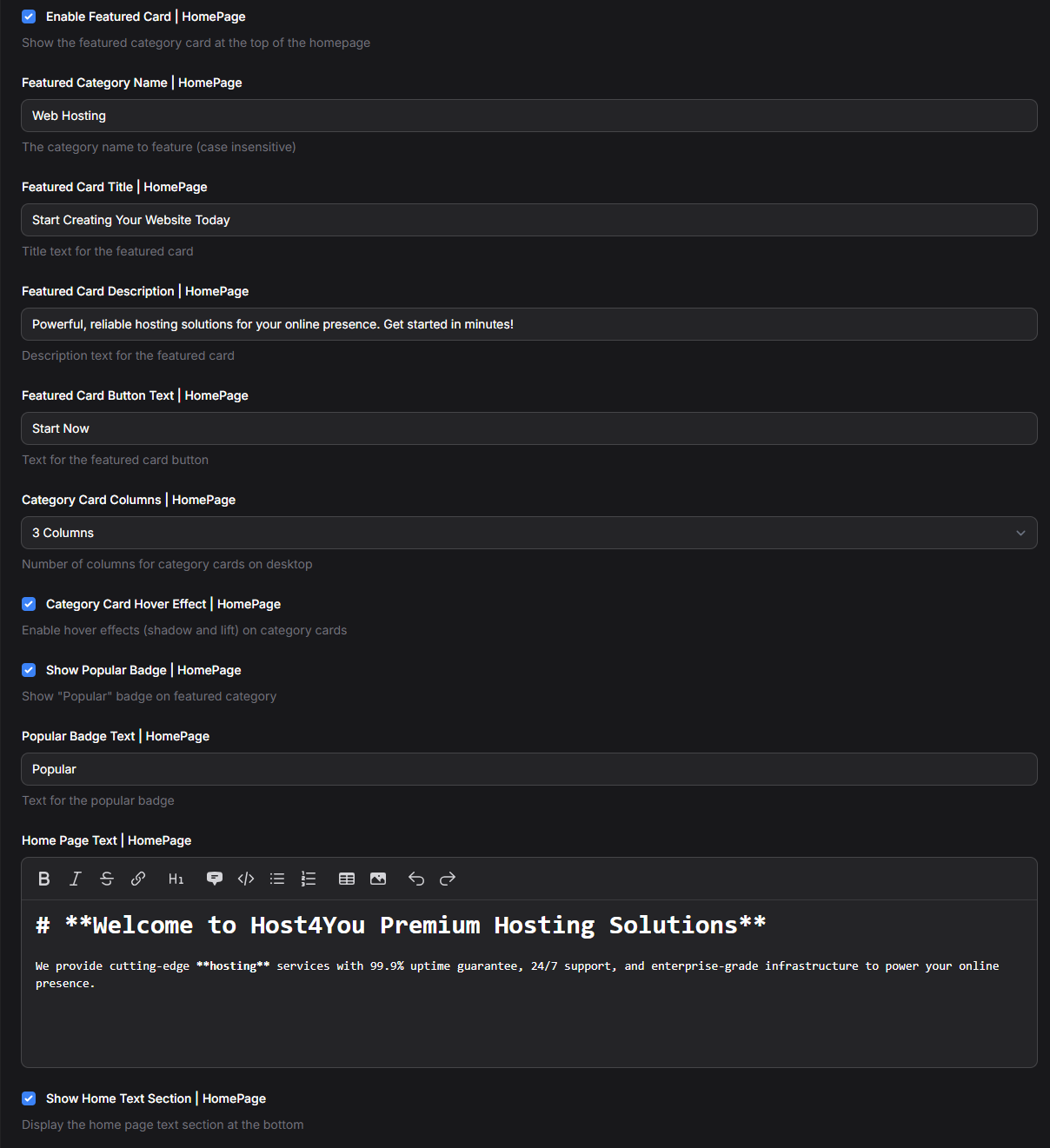
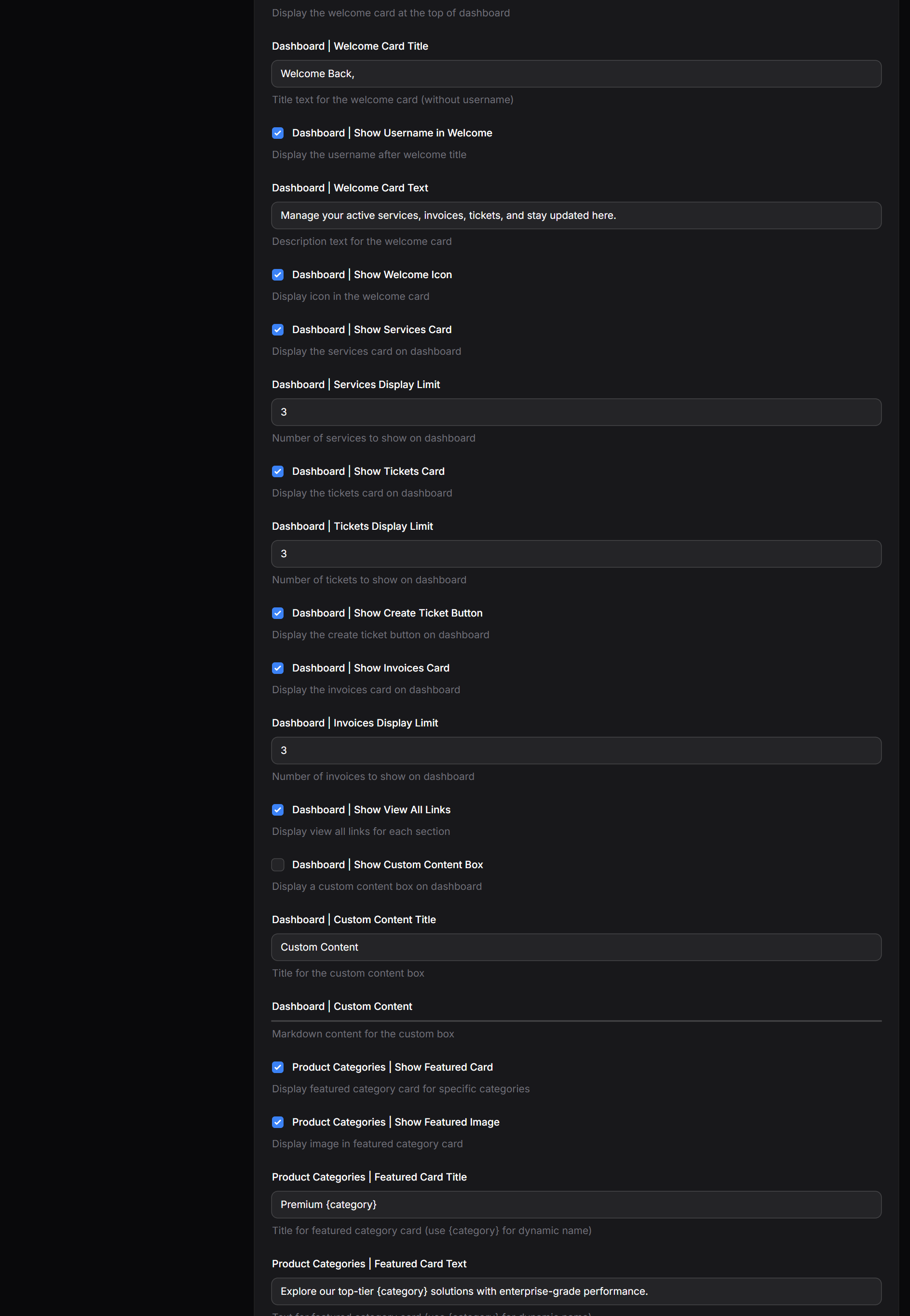
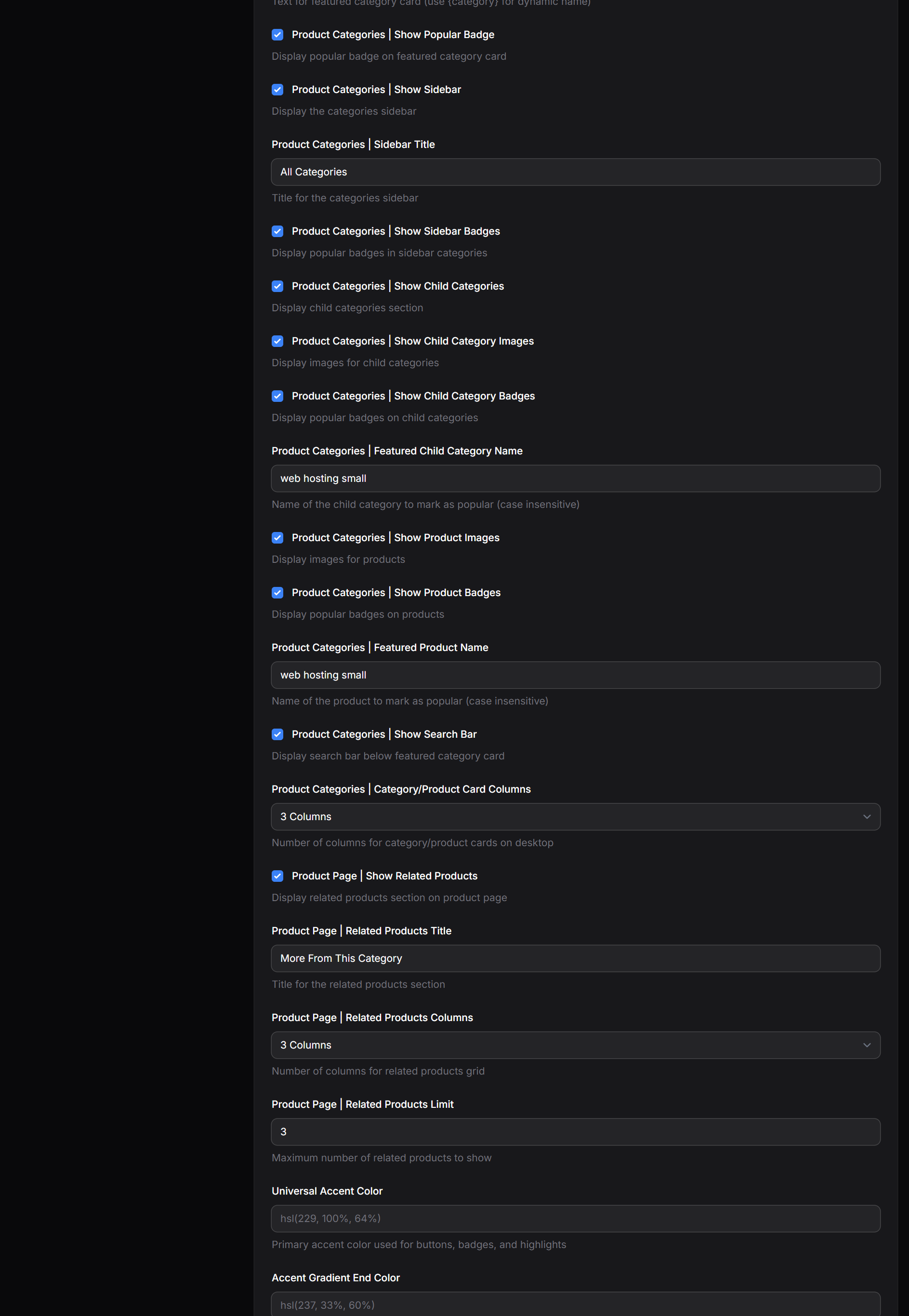
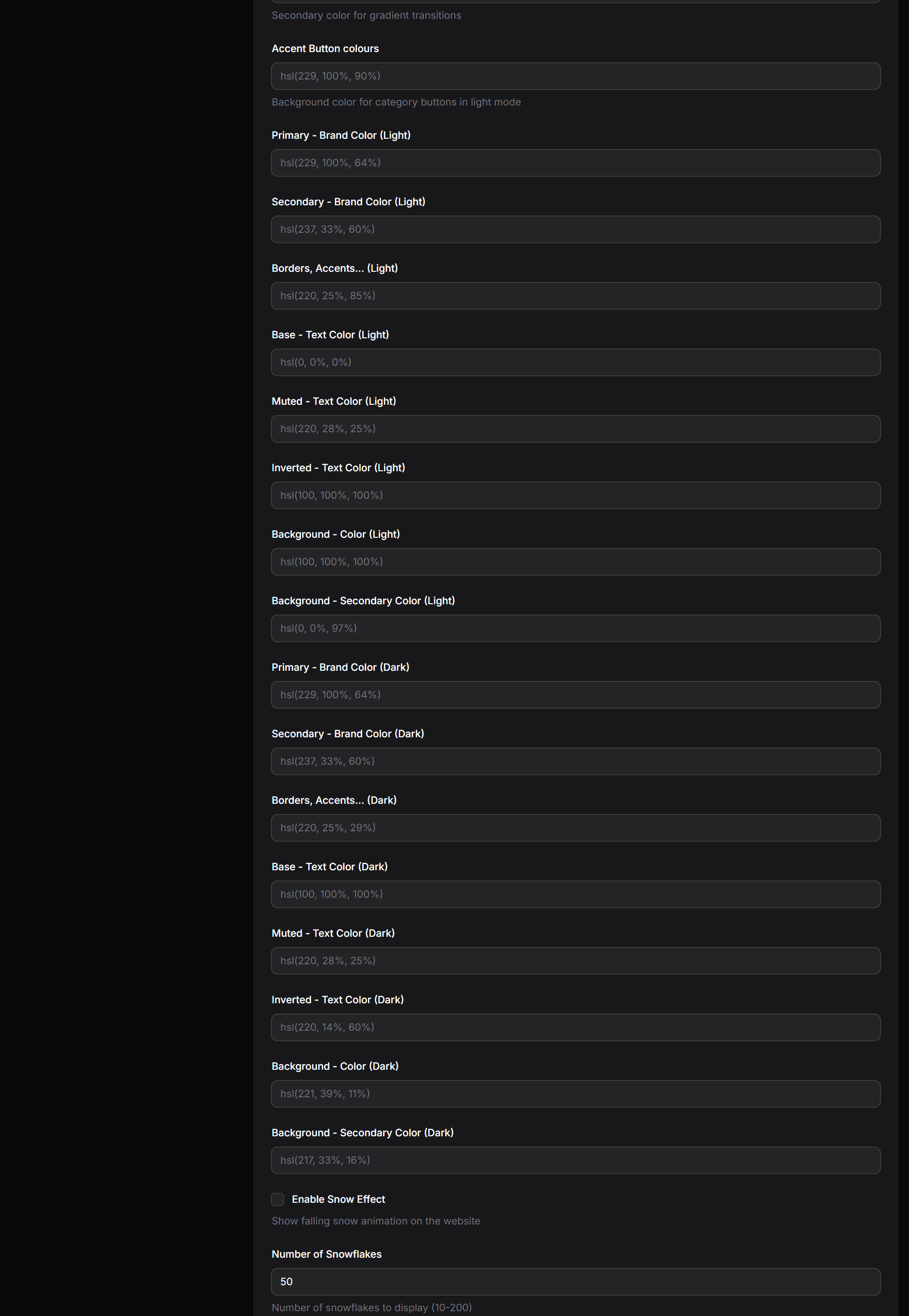
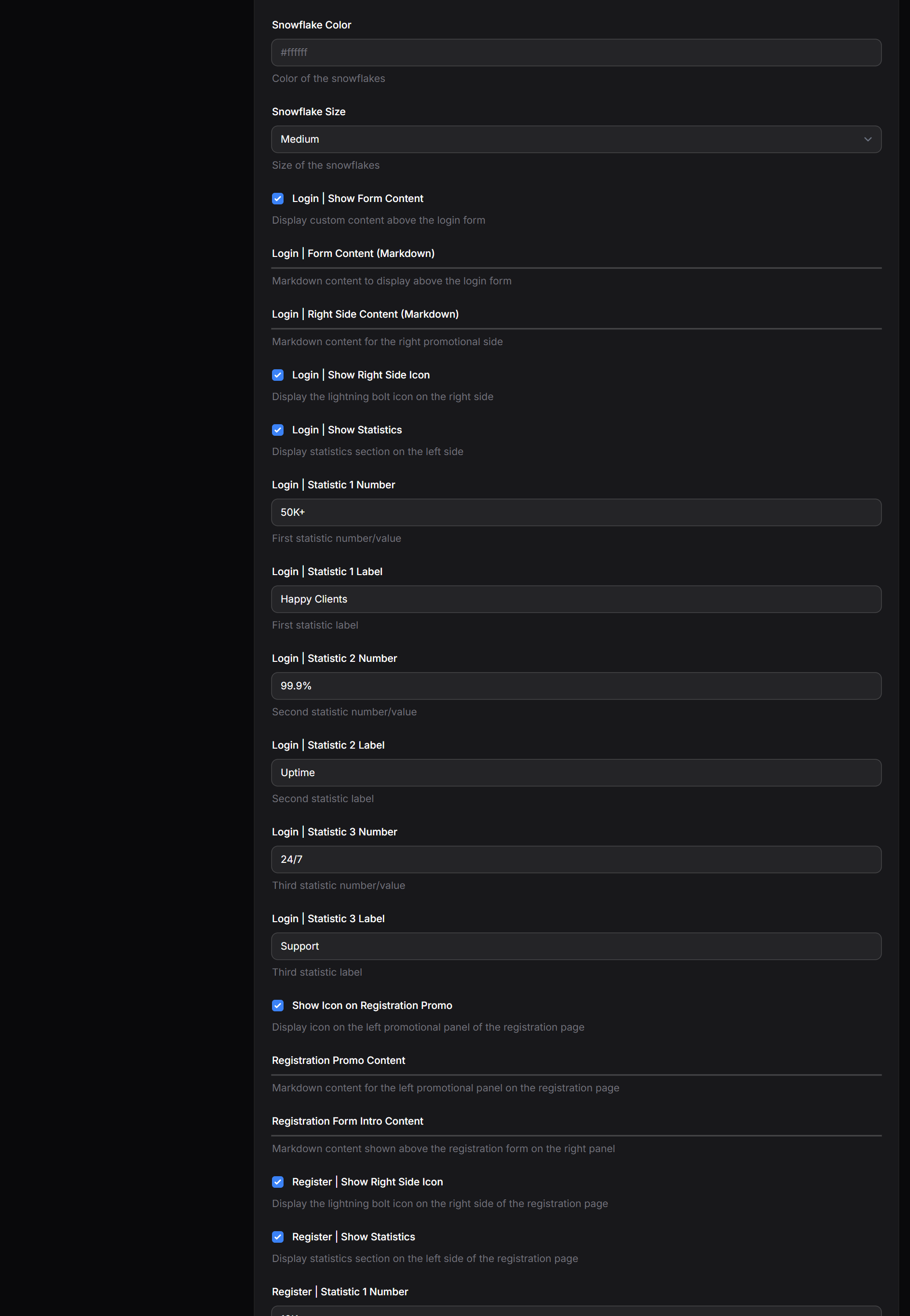
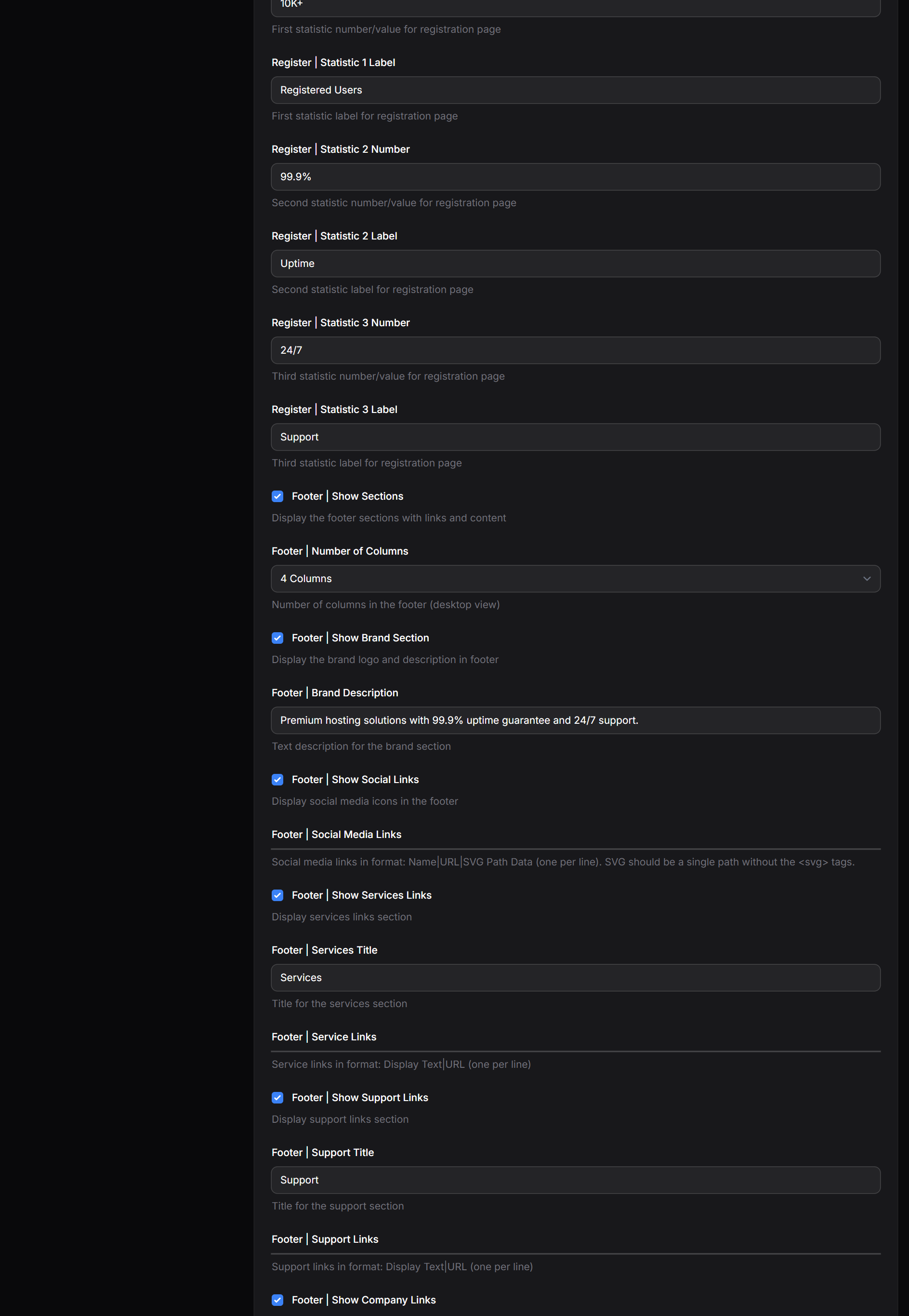
Full Settings (Have a look at all customisation!)
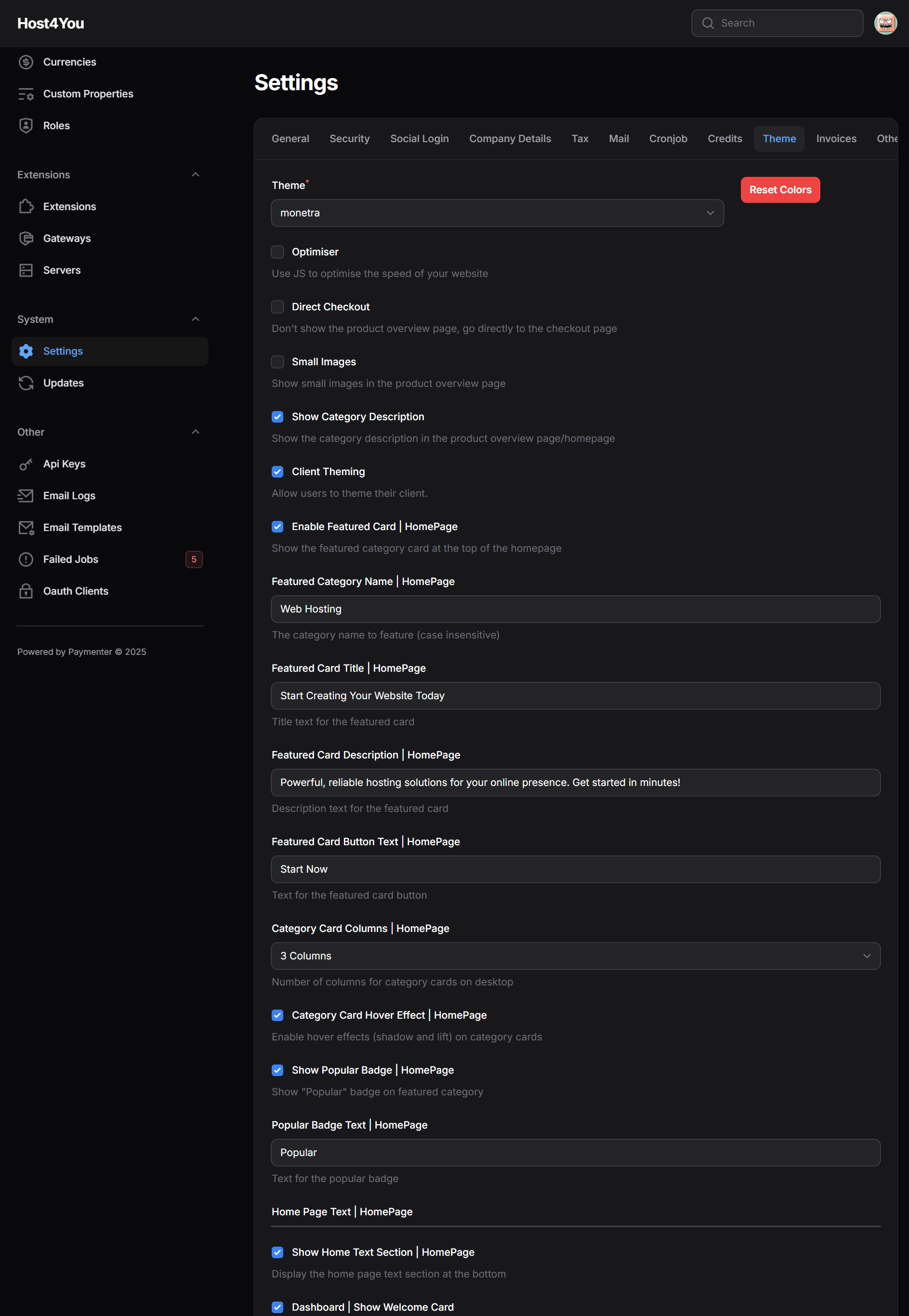 [/B][/B]

Monetra - Deluxe Theme
Monetra is a premium, elegant theme designed exclusively for Paymenter.
Developer
qkingsoftware
Last Updated
August 22, 2025
Price
$9.99
Installs
3 installs
Purchases
2 purchases
Categories
theme
About this theme
The Next-Gen Paymenter Theme is Here!
Monetra isn’t just another “average” theme on Paymenter. It’s meticulously crafted by a team of expert developers to give your billing website a professional edge.
Why Monetra Stands Out
✅ Budget-Friendly – Premium quality without breaking the bank.
✅ Incredible Customization – Tailor every detail to perfectly match your brand.
✅ Built for Billing Websites – Designed specifically for billing, invoicing, and subscription platforms, not just a landing page template.
✅ Responsive & Mobile-Ready – Looks flawless on any device.
✅ Optimized for Performance – Fast-loading pages for a smooth user experience.
✅ Modern & Sleek Design – Professional aesthetics that impress clients instantly.
✅ Future-Proof – Regular updates keep your website ahead of the curve.
Elevate your billing platform with Monetra – where functionality meets style!
Top-Notch Features Exclusive to Monetra
- Easy setup for popular categories and products
- Product search within each category
- “More from this category” section to promote additional products
- Drag-and-Drop Cards in the Dashboard
- Per user client theming
- 100+ customization options
Other Essential Features
- Sleek and responsive design
- Dark and light mode customization
- Fully customizable color schemes
- Multilingual support
- Custom content in the dashboard
- And much more!
Installation Instructions
Step 1: Download the Template
- Get the template files (HTML, CSS, assets).
Step 2: Locate Paymenter’s Themes Directory
Navigate to your Paymenter installation:
cd /var/www/paymenter/themes
Step 3: Upload Files
Copy all the template files into the new folder:
Step 4: Enable the Theme
In the Settings Page in your admin side, change the theme
You can switch themes from the Paymenter admin panel if it's enabled.
Step 5: Build the Theme
- curl -fsSL https://deb.nodesource.com/setup_22.x | sudo bash - sudo apt install nodejs
- cd /var/www/paymenter
- npm install
- npm run build monetra
[B]Preview
Home Page:[/B]
[B] Client Theming
[B]Catergory section:
Product Page:
Login:
Snow! (nostalgic from V0.9 😏)
Full Settings (Have a look at all customisation!)