Skip to content


The Paymenter Froxlor Extension connects the Froxlor web hosting panel with the Paymenter billing and automation platform. It enables hosting providers to synchronize accounts, automate hosting management, and streamline payment handling between both systems.
Key Features:
This extension is ideal for hosting providers who want to combine Froxlor’s lightweight and efficient web hosting management with Paymenter’s advanced billing and automation capabilities.
- Paymenter latest version
- Froxlor latest version
- 2FA in Froxlor to enable API feature
Installation
Then, activate the extension from the Paymenter Admin Dashboard.
Important: After Setting up everything, you must run npm run build to build the view file! Or your customer panel will look terrible!
Configuration
Obtain your froxlor API key in your froxlor panel (note that you must first enable 2FA for admin account in froxlor before you have an option to enable api)
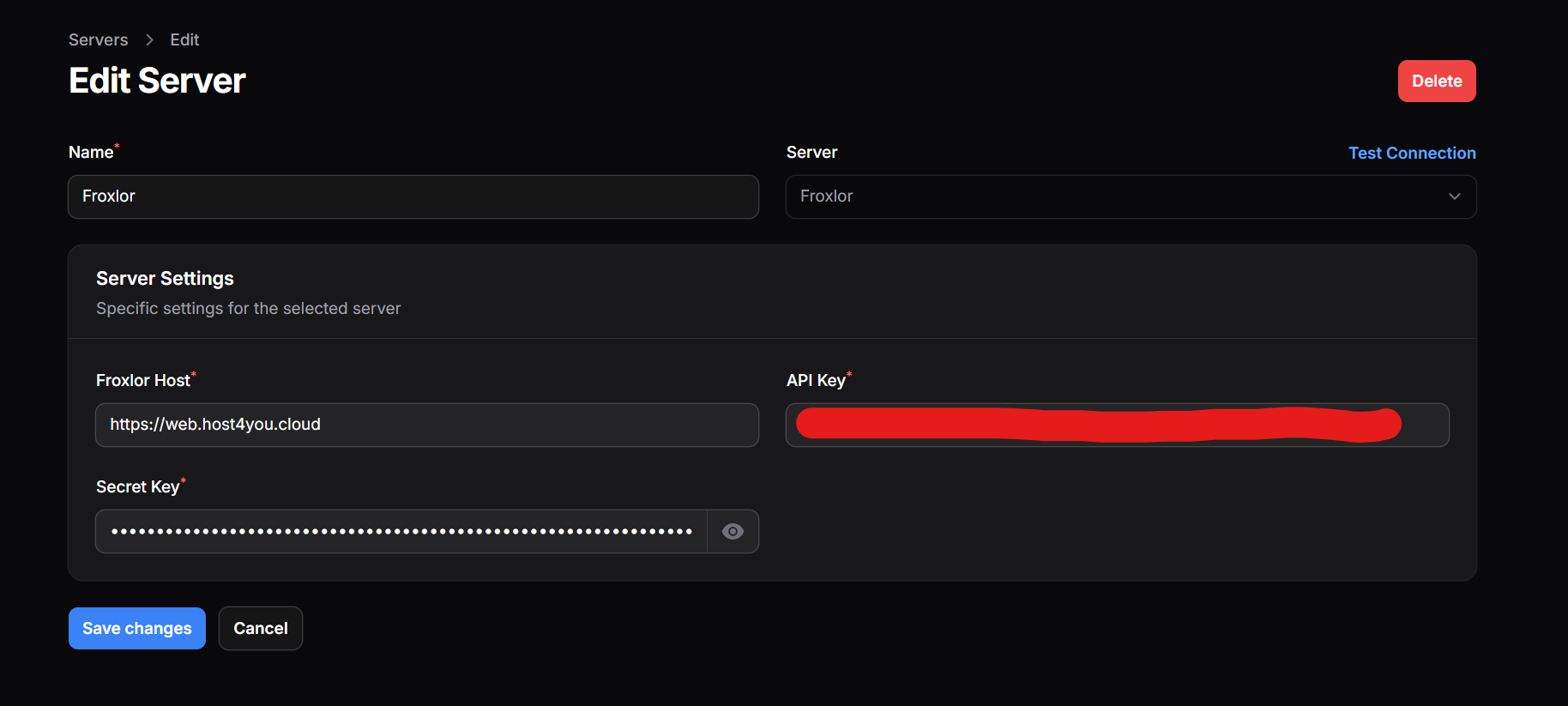
Once you have the api key and the secret key, paste it in the extension page.
Remember to put your url (Froxlor Host) without the / at the end!
Some Image
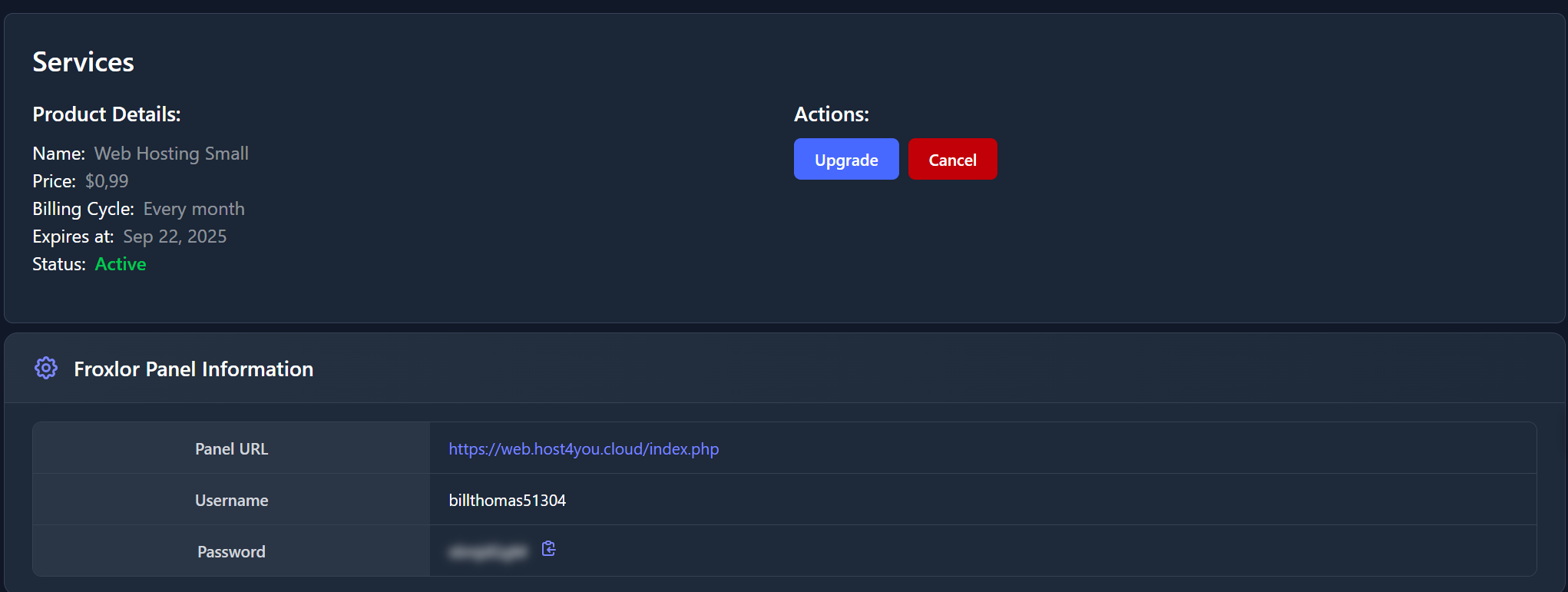
This Froxlor extension is Compatible with any theme, but recommend the Veltrix theme or the Monetra theme!
Froxlor - Web Hosting
Seamlessly Integrates Froxlor to Paymenter!
Developer
qkingsoftware
Last Updated
August 22, 2025
Price
$7.99
Installs
6 installs
Reviews
1 Reviews
4 out of 5
Purchases
4 purchases
Categories
extension
About this extension
Paymenter Froxlor Extension
The Paymenter Froxlor Extension connects the Froxlor web hosting panel with the Paymenter billing and automation platform. It enables hosting providers to synchronize accounts, automate hosting management, and streamline payment handling between both systems.
Key Features:
- Seamless integration between <a href="https://www.froxlor.org/" target="_blank" rel="noopener noreferrer" class="text-[var(--vp-c-brand-1)] hover:underline">Froxlor </a>and <a href="https://paymenter.org/" target="_blank" rel="noopener noreferrer" class="text-[var(--vp-c-brand-1)] hover:underline">Paymenter</a>
- Automated creation, suspension, and termination of hosting accounts
- Automate Password generation for <a href="https://www.froxlor.org/" target="_blank" rel="noopener noreferrer" class="text-[var(--vp-c-brand-1)] hover:underline">Froxlor </a>accounts
- Full synchronization of users and services across both platforms
- Secure and reliable operation designed for production environments
This extension is ideal for hosting providers who want to combine Froxlor’s lightweight and efficient web hosting management with Paymenter’s advanced billing and automation capabilities.
Requirements
- Paymenter latest version
- Froxlor latest version
- 2FA in Froxlor to enable API feature
Installation
- Download the extension files.
- Extract the ZIP and place it in: /var/www/paymenter/extensions/Servers/
Then, activate the extension from the Paymenter Admin Dashboard.
Important: After Setting up everything, you must run npm run build to build the view file! Or your customer panel will look terrible!
Configuration
Obtain your froxlor API key in your froxlor panel (note that you must first enable 2FA for admin account in froxlor before you have an option to enable api)
Once you have the api key and the secret key, paste it in the extension page.
Remember to put your url (Froxlor Host) without the / at the end!
Some Image
This Froxlor extension is Compatible with any theme, but recommend the Veltrix theme or the Monetra theme!