Skip to content


Redirect
A nice little extension to make new redirects, navigation items and file downloads with ease!
Developer
qkingsoftware
Last Updated
February 8, 2026
Price
$4.99
Installs
15 installs
Reviews
1 Reviews
5 out of 5
Purchases
9 purchases
Categories
extension
About this extension
[CENTER]
Create unlimited redirect menu links instantly.
[/CENTER]
Overview
The Redirect extension allows you to add unlimited links to your Paymenter navigation menu. Each link can point to an internal path or an external URL, and all links redirect immediately when clicked. Perfect for organizing documentation, blogs, support pages, or any custom destinations.
Links are fully editable in the admin panel, and the extension ensures compatibility with Paymenter's routing system to prevent errors.
All links are instantly added to your Paymenter navigation bar with just a few clicks, making it quick and effortless to customize your menu.
You can easily edit, reorder, or remove links at any time through the admin panel.
Adding both internal and external links takes only seconds, so you can keep your navigation organized without hassle.
This extension keeps your menu clean and user-friendly, ensuring visitors can always find the right destination.
Features
Installation Guide
1. Download and extract the content of the the Redirect folder into your server at:
/var/www/paymenter/extensions/Others/Redirect
2. Go to the Paymenter admin panel → Extensions → Enable Redirect.
3. Open the extension filament page to configure your extension.
[B]Documentation/Examples:
URL / Prefix Types:[/B]
---------------------------------
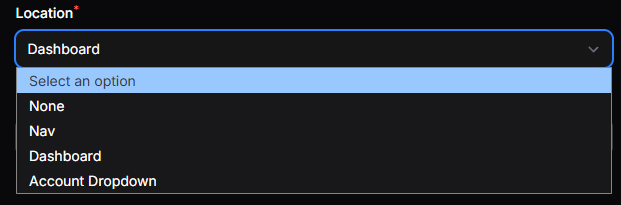
Placement / Location Types:
---------------------------------
5. Links will automatically appear in the navigation menu (if applicable) and redirect immediately when clicked.
Support

Create unlimited redirect menu links instantly.
[/CENTER]
Overview
The Redirect extension allows you to add unlimited links to your Paymenter navigation menu. Each link can point to an internal path or an external URL, and all links redirect immediately when clicked. Perfect for organizing documentation, blogs, support pages, or any custom destinations.
Links are fully editable in the admin panel, and the extension ensures compatibility with Paymenter's routing system to prevent errors.
All links are instantly added to your Paymenter navigation bar with just a few clicks, making it quick and effortless to customize your menu.
You can easily edit, reorder, or remove links at any time through the admin panel.
Adding both internal and external links takes only seconds, so you can keep your navigation organized without hassle.
This extension keeps your menu clean and user-friendly, ensuring visitors can always find the right destination.
Features
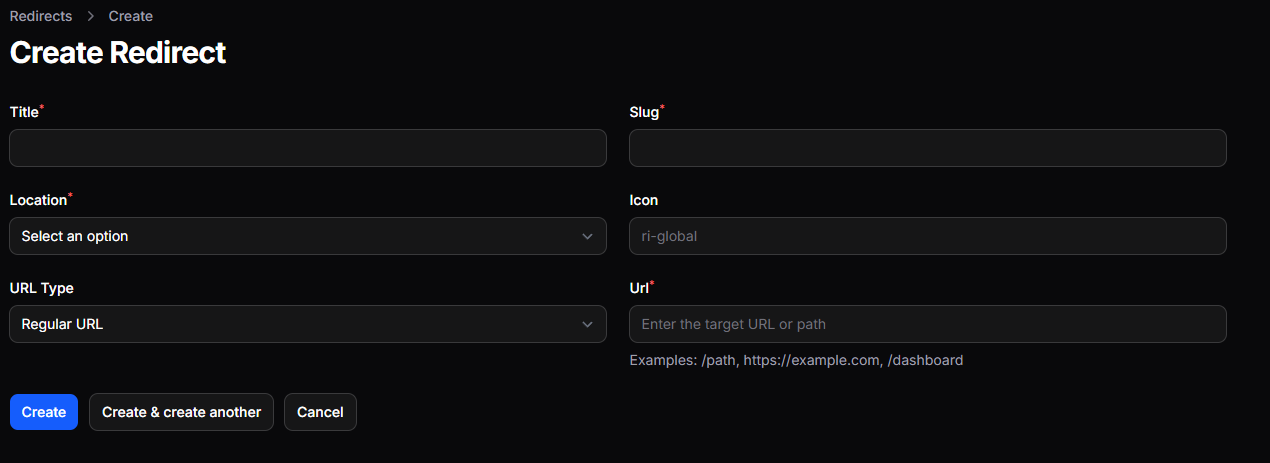
- 🔗 Unlimited Links — Add as many menu items as you need via a simple form.
- ⚡ Instant Redirect — Links redirect immediately on click.
- 🛠 Internal & External URLs — Supports both
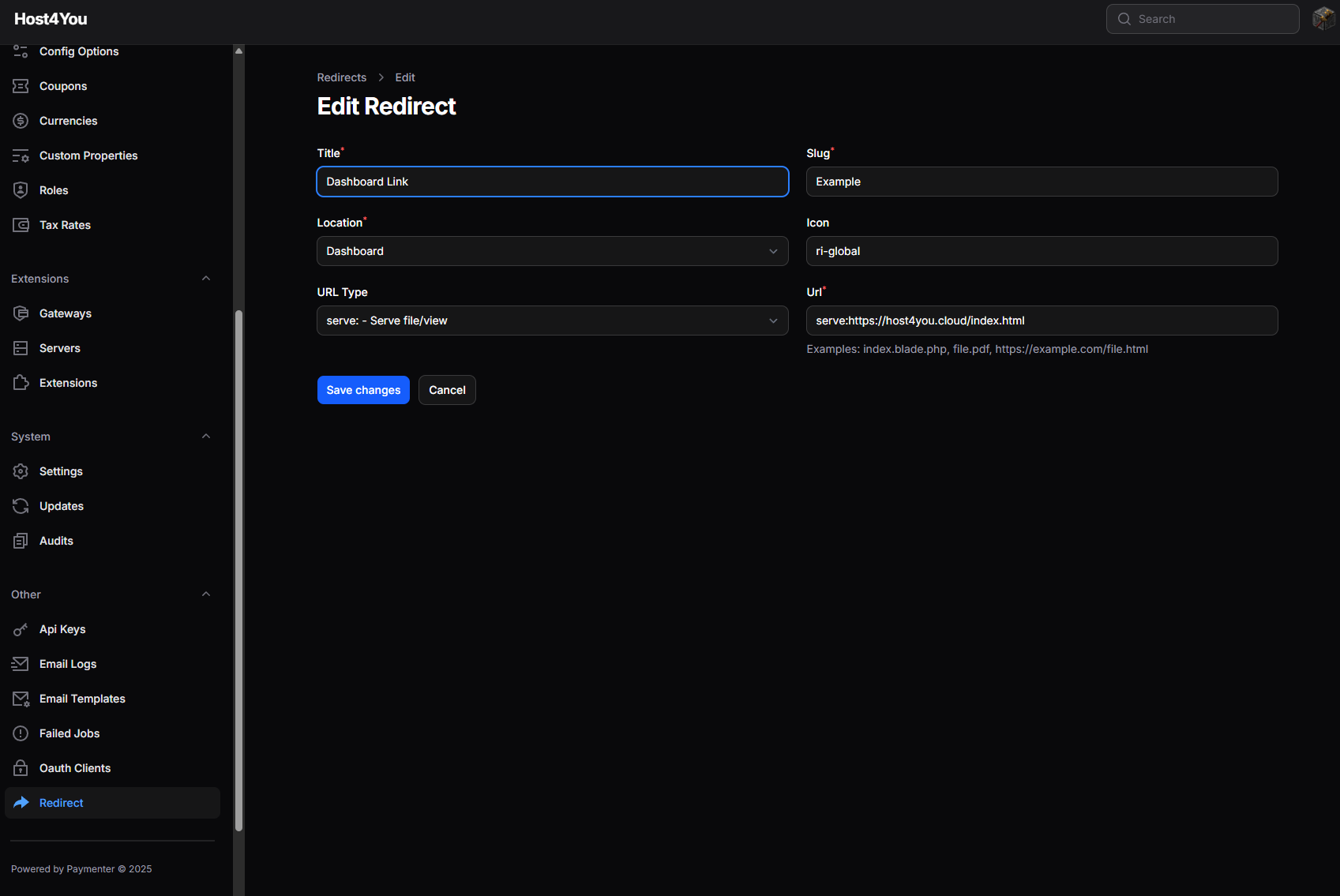
/internal-pathandhttps://external-site.com. - ✅ Admin Editable — Change link titles, slugs, icons, locations, and URLs directly in the settings.
- 🔒 Safe Routing — All menu links use Laravel routes to prevent errors.
- 💡 Lightweight — Minimal overhead, no extra dependencies.
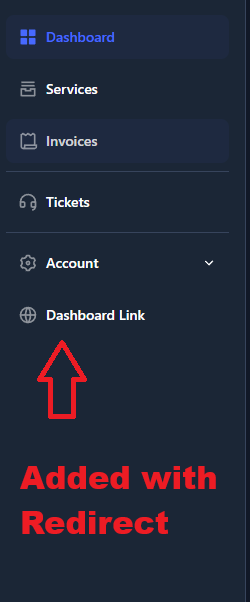
- 📊 Navigation Menu Integration — Add links directly to the main navigation bar for easy access.
- 🏠 Dashboard & Profile Links — Add links to the Dashboard or Account/Profile dropdown menus.
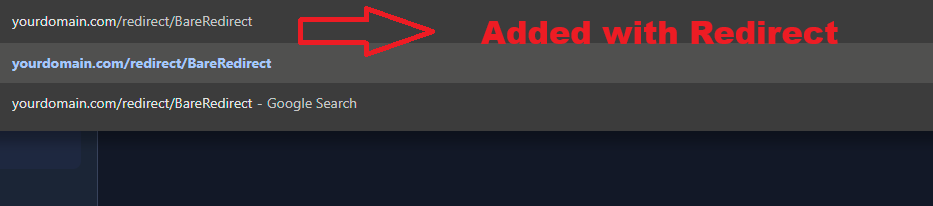
- 🕵️ Hidden/Bare Redirects — Create routes that do not appear in any menu, perfect for hidden pages.
- ⚙️ Unique Slug Management — Automatic slug generation ensures no duplicate routes.
- 🖼 Custom Icons — Set custom icons for each link using icon libraries like Remix Icons.
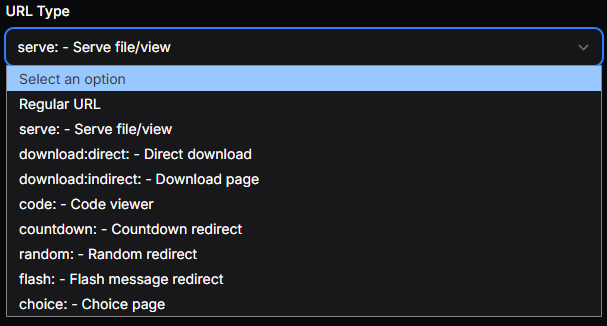
- 🚀 Powerful URL Prefixes — Support for serve, download, code, countdown, flash, random, choice, and more to create dynamic redirects.
- 📝 Location Selection — Assign links to navigation, dashboard, account dropdown, or keep them hidden.
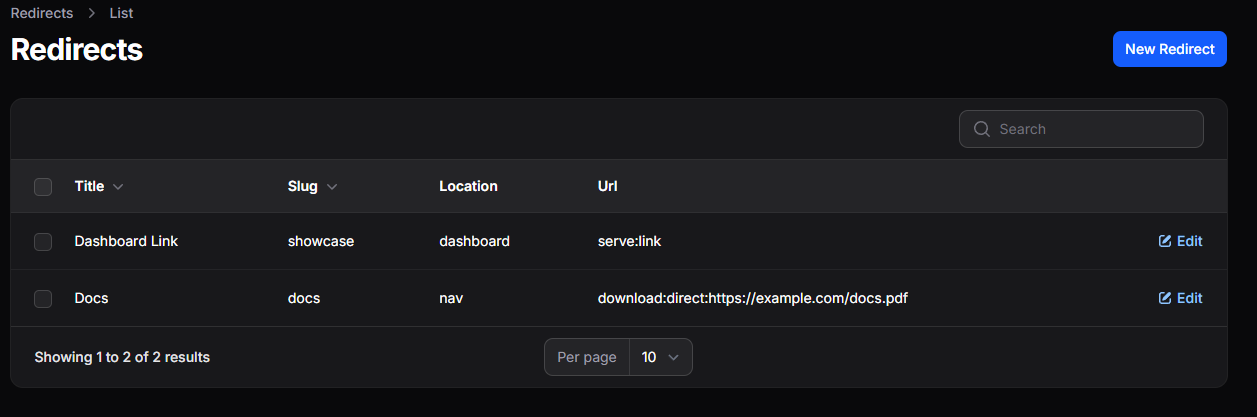
- 🔄 Editable Table & Bulk Actions — Manage links efficiently using tables with search, sort, edit, and bulk delete actions.
Installation Guide
1. Download and extract the content of the the Redirect folder into your server at:
/var/www/paymenter/extensions/Others/Redirect
2. Go to the Paymenter admin panel → Extensions → Enable Redirect.
3. Open the extension filament page to configure your extension.
[B]Documentation/Examples:
URL / Prefix Types:[/B]
---------------------------------
- serve: Serve a local file, Blade view, or remote resource inline (HTML, JSON, PDF, images, etc.).
Notes: Can point to a.blade.phpview in your extension, a local file, or an HTTP(S) resource.
Example: serve:index.blade.php
Remote Example: serve:<a href="https://raw.githubusercontent.com/example/file.html" target="_blank" rel="noopener noreferrer" class="text-[var(--vp-c-brand-1)] hover:underline">https://raw.githubusercontent.com/example/file.html</a> - download: Serve a file for download. Modes: direct (immediate download) or indirect (user clicks a link first).
Example (direct): download:direct:file.pdf
Example (indirect): download:indirect:file.zip - code: Display a code file with syntax highlighting in the browser.
Example: code:<a href="https://example.com/file.php" target="_blank" rel="noopener noreferrer" class="text-[var(--vp-c-brand-1)] hover:underline">https://example.com/file.php</a>
Notes: Works with local files or remote URLs. - countdown: Countdown redirect. Wait a specified number of seconds before redirecting to a URL.
Format: countdown:seconds:target_url
Example: countdown:5:<a href="https://example.com/" target="_blank" rel="noopener noreferrer" class="text-[var(--vp-c-brand-1)] hover:underline">https://example.com/</a> - random: Redirect randomly to one of several URLs (comma-separated).
Example: random:https://a.com,https://b.com,https://c.com - flash: Show a temporary message before redirecting (default 3 seconds).
Example: flash:<a href="https://example.com/" target="_blank" rel="noopener noreferrer" class="text-[var(--vp-c-brand-1)] hover:underline">https://example.com/</a>
Notes: Useful for notifications or warnings before sending the user elsewhere. - choice: Display buttons for multiple destination choices, letting the user pick where to go.
Example: choice:https://a.com:https://b.com:https://c.com - http(s):// Direct redirect to an external URL.
Example: <a href="https://example.com/" target="_blank" rel="noopener noreferrer" class="text-[var(--vp-c-brand-1)] hover:underline">https://example.com/</a> - internal Internal redirect to a route within your app.
Example: /dashboard
Placement / Location Types:
---------------------------------
- nav Appears in main navigation bar.
Notes: Good for pages that should be globally accessible, like Documentation or Navigation links. - dashboard Appears in the dashboard navigation.
Notes: Use for links relevant only to logged-in users in their dashboard. - account-dropdown Appears in the user account dropdown menu.
Notes: Ideal for Profile, Settings, or Logout links. - none Hidden; accessible only via direct redirect URL.
Notes: Use for private or temporary links that shouldn’t show in navigation.
5. Links will automatically appear in the navigation menu (if applicable) and redirect immediately when clicked.
Support
- Fully editable via a filament page on the admin panel.
- For assistance, reach out to me on BuiltByBit or on Discord.