Skip to content

![OxaPay | Payment Gateway]()
OxaPay | Payment Gateway
A simple and Free extension to integrate OxaPay with Paymenter to accept cryptocurrency payment
Developer
NothingTheKing
Last Updated
December 27, 2025
Price
Free
Installs
79 installs
Categories
extension
About this extension
OxaPay Gateway for Paymenter
BuiltByBit Marketplace
A production-ready cryptocurrency payment gateway for Paymenter, built using the official OxaPay Merchant Invoice API.
This gateway allows customers to pay invoices using cryptocurrency and enables automatic invoice settlement and service provisioning with zero manual intervention.
--------------------------------------------------
OVERVIEW
--------------------------------------------------
FEATURES
--------------------------------------------------
PAYMENT FLOW
1. Customer selects OxaPay on the invoice page
2. Customer is redirected to the OxaPay checkout page
3. After successful payment:
- Customer is redirected back to the invoice
- OxaPay sends a webhook to Paymenter
4. Invoice is marked as paid
5. Paymenter automatically provisions the service or server
No polling
No cron jobs
No custom provisioning logic
--------------------------------------------------
REQUIREMENTS
If these requirements are not met, do not install the gateway.
--------------------------------------------------
INSTALLATION
1. Install Oxapay Gateway Extension (Replace /var/www/paymenter with your paymenter root if it is different)
2. Enable Oxapay Gateway Extension
Navigate to Admin → Gateways → New Gateway → Oxapay in Paymenter and follow the Configuration steps.
--------------------------------------------------
TECHNICAL NOTES
--------------------------------------------------
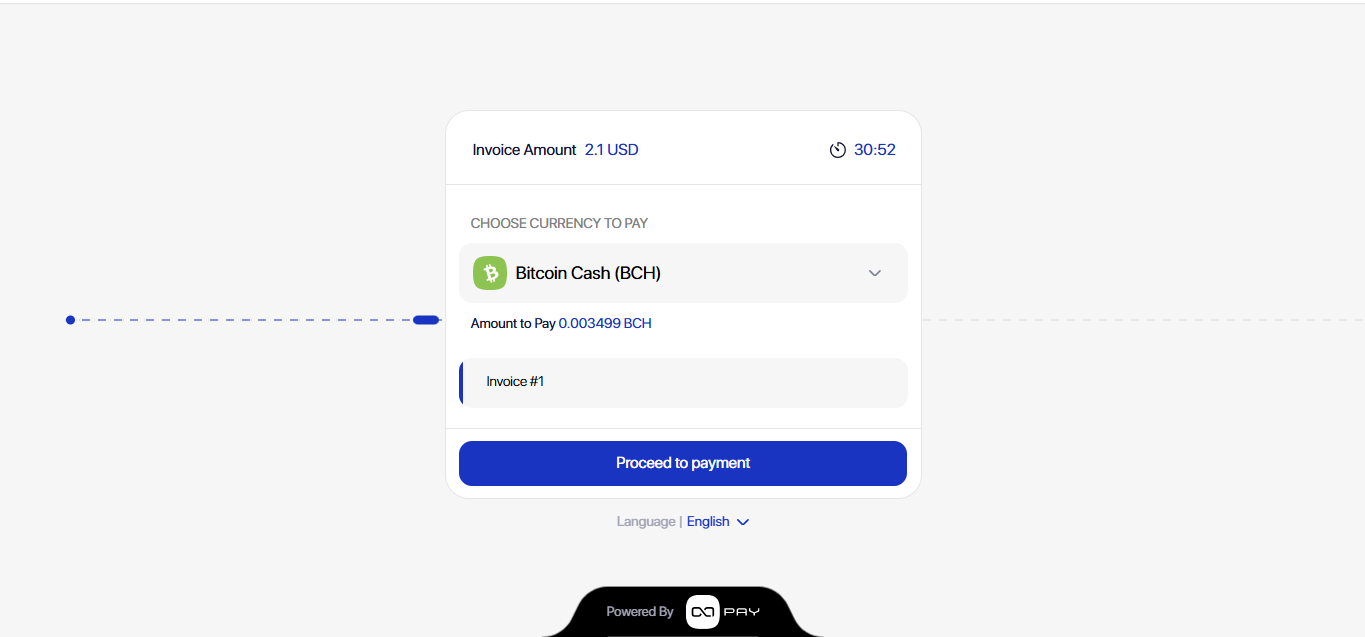
SCREENSHOT
--------------------------------------------------
SUPPORT
This project is provided as-is.
please consider donating for regular updates
https://pay.oxapay.com/16116325
BuiltByBit Marketplace
A production-ready cryptocurrency payment gateway for Paymenter, built using the official OxaPay Merchant Invoice API.
This gateway allows customers to pay invoices using cryptocurrency and enables automatic invoice settlement and service provisioning with zero manual intervention.
--------------------------------------------------
OVERVIEW
- Native integration with Paymenter’s payment and automation system
- Uses OxaPay-hosted checkout (no sensitive payment data touches your server)
- Webhook-driven payment confirmation using a shared secret
- Designed for real production deployments, not test projects
--------------------------------------------------
FEATURES
- Cryptocurrency payments via OxaPay
- Official OxaPay Merchant Invoice API integration
- Automatic redirect to OxaPay checkout
- Secure webhook verification
- Automatic invoice payment confirmation
- Automatic service and server provisioning via Paymenter
- No manual intervention required
- Clean, lightweight, auditable implementation
--------------------------------------------------
PAYMENT FLOW
1. Customer selects OxaPay on the invoice page
2. Customer is redirected to the OxaPay checkout page
3. After successful payment:
- Customer is redirected back to the invoice
- OxaPay sends a webhook to Paymenter
4. Invoice is marked as paid
5. Paymenter automatically provisions the service or server
No polling
No cron jobs
No custom provisioning logic
--------------------------------------------------
REQUIREMENTS
- Paymenter version 1.4.7 or newer
- PHP 8.1 or newer
- OxaPay Merchant API key
- Webhook secret configured in the OxaPay dashboard
If these requirements are not met, do not install the gateway.
--------------------------------------------------
INSTALLATION
1. Install Oxapay Gateway Extension (Replace /var/www/paymenter with your paymenter root if it is different)
- Automatic Installation: [CODE=bash] git clone https://github.com/NothingTheking/Oxapay-Gateway.git /var/www/paymenter/extensions/Gateways/Oxapay[/CODE]
- Manual Installation: Download the extension and extract it in /var/www/paymenter/extensions/Gateways
2. Enable Oxapay Gateway Extension
Navigate to Admin → Gateways → New Gateway → Oxapay in Paymenter and follow the Configuration steps.
--------------------------------------------------
TECHNICAL NOTES
- Successful OxaPay responses return result = 100
- The checkout URL is returned as payLink
- Invoice settlement and service provisioning are handled entirely by Paymenter
- No custom server creation or automation logic is required
--------------------------------------------------
SCREENSHOT
--------------------------------------------------
SUPPORT
This project is provided as-is.
please consider donating for regular updates
https://pay.oxapay.com/16116325