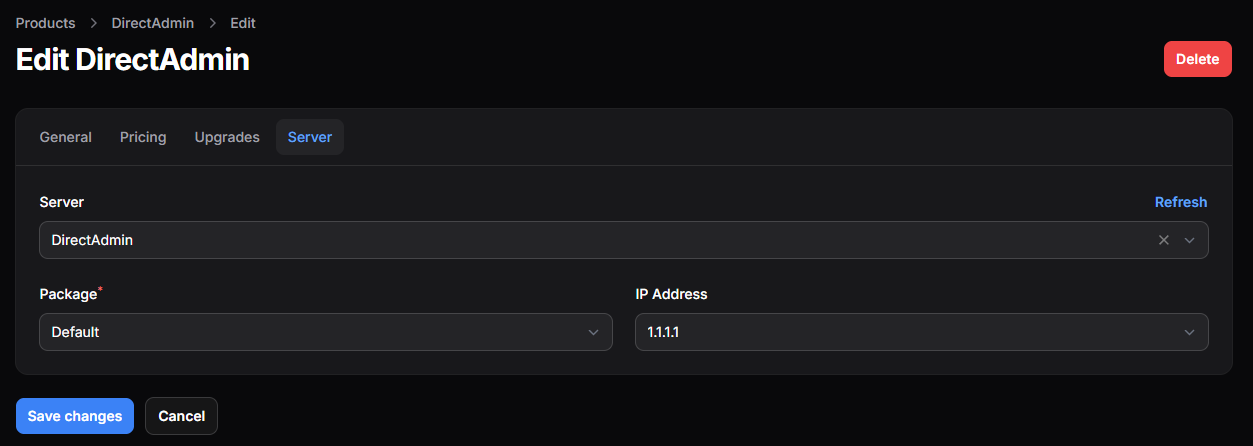

DirectAdmin
Configure Paymenter
Create a new server in the Paymenter admin panel and select DirectAdmin as server type. Fill in the following fields:
- DirectAdmin URL: The URL of your DirectAdmin installation including the port (e.g. https://yourdomain.com:2222)
- Username: Your username for DirectAdmin
- Password: Your password for DirectAdmin
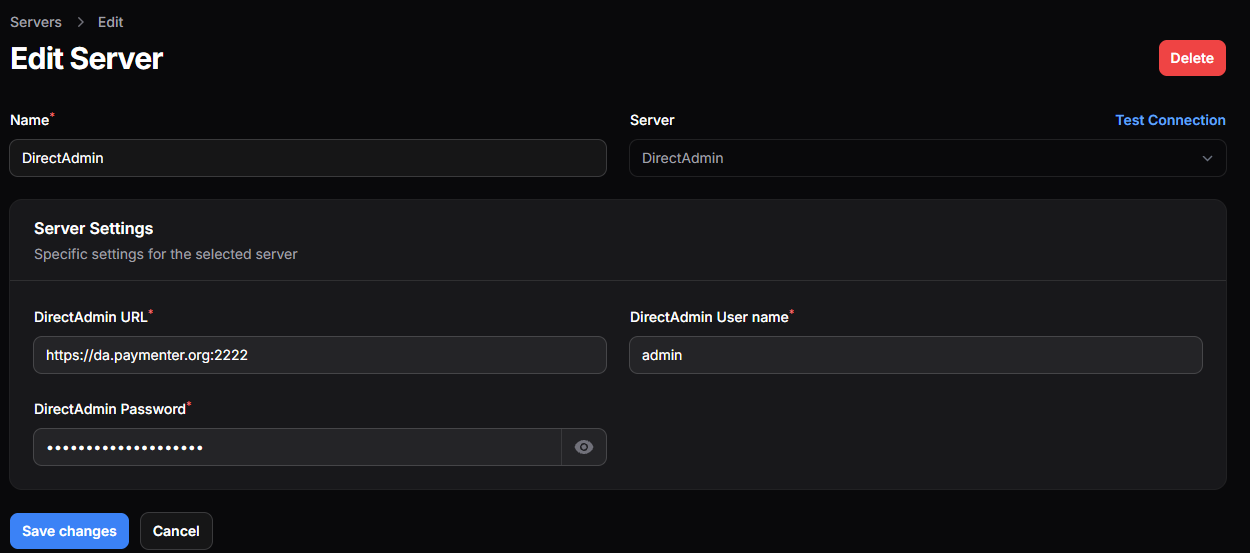
Press Test Connection to ensure everything is set up correctly.
Configuring the product
Select the DirectAdmin server you created in the previous step and select the package you want to offer. (either reseller or user)