

Virtualizor
Overview
Virtualizor is a powerful and feature-rich virtualization control panel that allows you to manage rock-solid KVM virtual machines.
Find the API key
Go to Configuration -> Server Info and copy the Key and Key Pass fields.
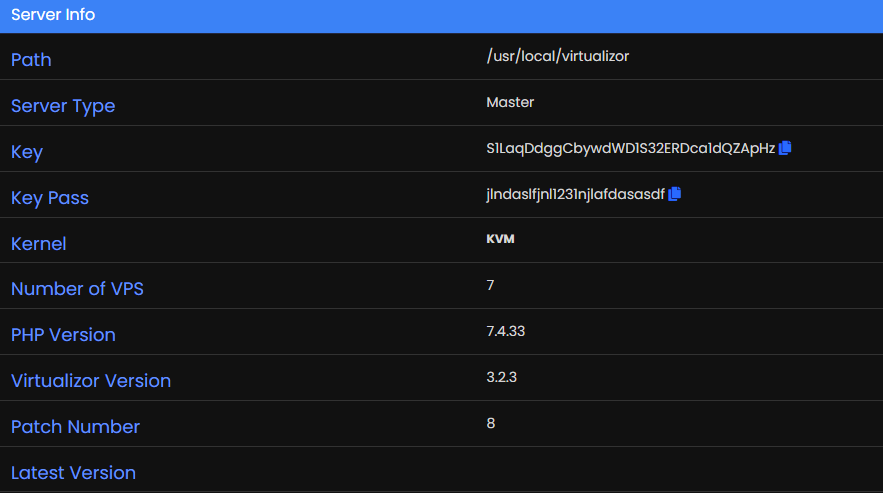
Configure Paymenter
Insert your Key and Key Pass in the Paymenter admin panel.
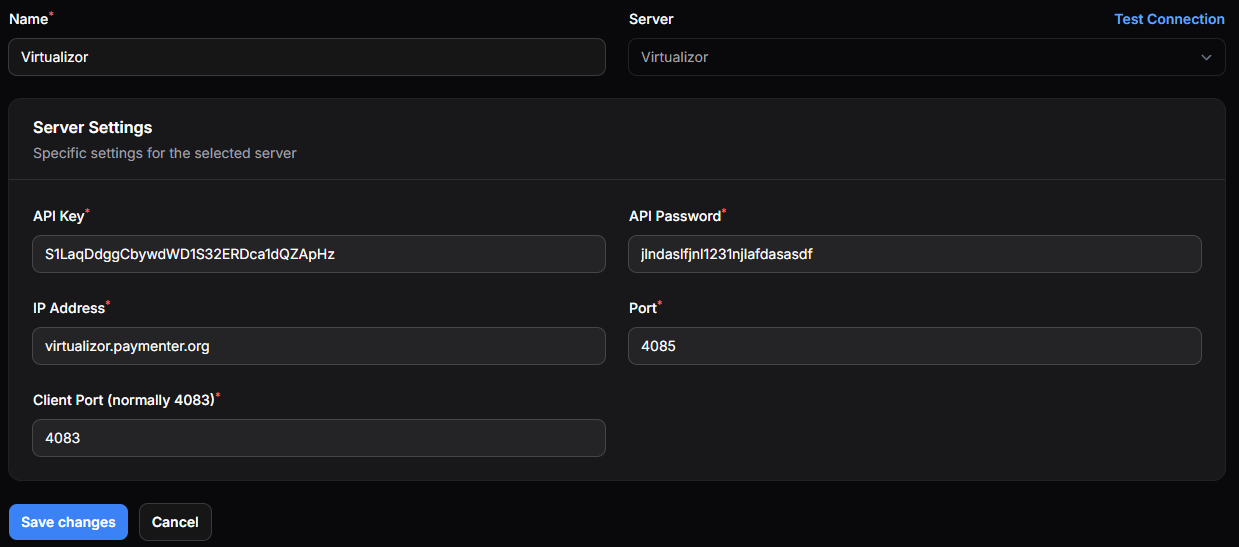
Press Test Connection to verify that the connection is working.
Configuring the product
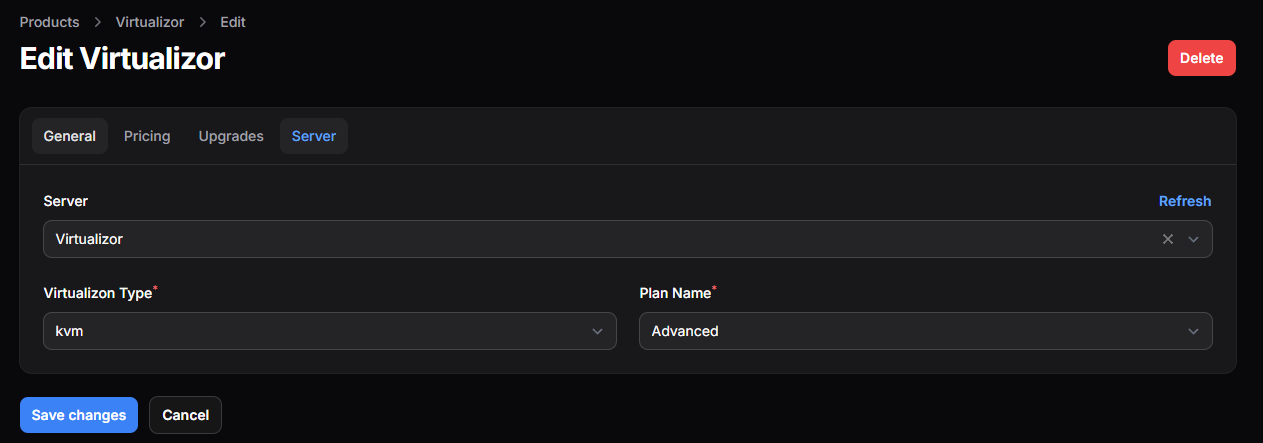
After you have created a product you need to go to the settings
Fill in the product details and select the server you want to assign to the product
Below you will see a fully functional example of a Product
Sending the IP and Password via Email
You can send the IP and Password to the customer via email. Fill in the email template in the product settings.
Here is a example of a email template:
@isset($vps['ips'][0])
- IP Address: {{ $vps['ips'][0] }}
@endisset
- Root password: {{ $vps['pass'] }}
Or if you also want to include the newly created user and password:
@isset($vps['ips'][0])
- IP Address: {{ $vps['ips'][0] }}
@endisset
- Root password: {{ $vps['pass'] }}
@isset($user['password'])
- Email: {{ $vps['email'] }}
- Password: {{ $vps['password'] }}
@endisset
Config Options
Following values can be used as Environment Variables in the config options:
planname, virt, os, hostname, ips6, ips6_subnet, ips, ram, swap, bandwidth, network_speed, cpu, cores, cpu_percent, vnc, osreinstall_limit, space